58% → 92%
Completion rate, before and after
34% conversion
Players completing the flow first month
Grand Theft Auto License Plate Web App
What it takes to make a web tool feel genuinely GTA
My role
Lead designer. I drove the core framing decisions, stripping the experience to make the plate the star, then finding the right way to bring the car back. I ran testing with real players and brought in game and motion team partners to solve the brand authenticity problem.
Impact
34% conversion rate in the first month. Completion rates rose from 58% to 92%. Sustained engagement growth over six months. The design principles we defined on this project became the framework for around-game web experiences going forward.
A dying feature
The iFruit companion app had over 109 million users, but it was broken and aging. No one planned to maintain or upgrade it for next‑gen games. We had to sunset it. Buried inside this clunky app was one feature players still loved: the custom license plate editor. Despite the overall poor experience, it was still getting millions of uses every month. Instead of letting that engagement disappear with iFruit, we treated the license plate editor as an opportunity: could we rebuild it as a modern, around‑game web experience that felt like GTA—and actually worked?
Simplicity: stripping back to the essentials
Like many complex products, iFruit tried to show everything at once. Hundreds of possible paths. Lots of clutter. The first step was to strip it down to the core flow and get everyone aligned on what really mattered.
The iFruit sitemap — a tangle of hundreds of paths
We started with a quick prototype to make the experience tangible. Instead of debating abstract flows, we let people click through it.
Early prototype leaned hard into cars. Players loved it visually, but confused
In the early version, we leaned into cars, with a fast transition between a car view and the plate editor. It looked cool and excited players in testing—but it also confused them. People weren’t sure what the primary task was. Were they here to look at cars, or customize plates? The insight was straightforward: if the tool is about license plates, the plate needs to be the star. We simplified the navigation, removed distractions, and made the plate the central object. Everything else became supporting context.
Fludity: making the experience feel effortless
Once we clarified the core flow, the next challenge was how to make it feel effortless, especially on small screens.
A dedicated plate zone and action zone, to keep the primary task visible at all times
We explored a pattern with three clear states: an initial overview, an action‑focused editing state, and a review state. The goal was to keep the key action front and center while still offering room for exploration.
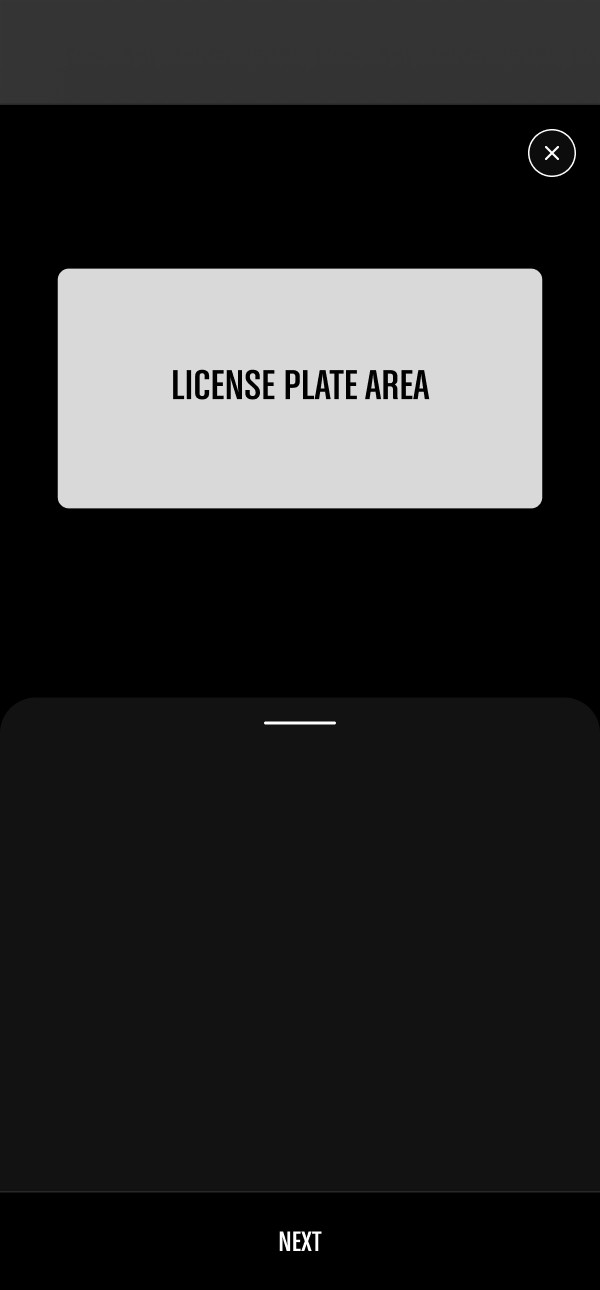
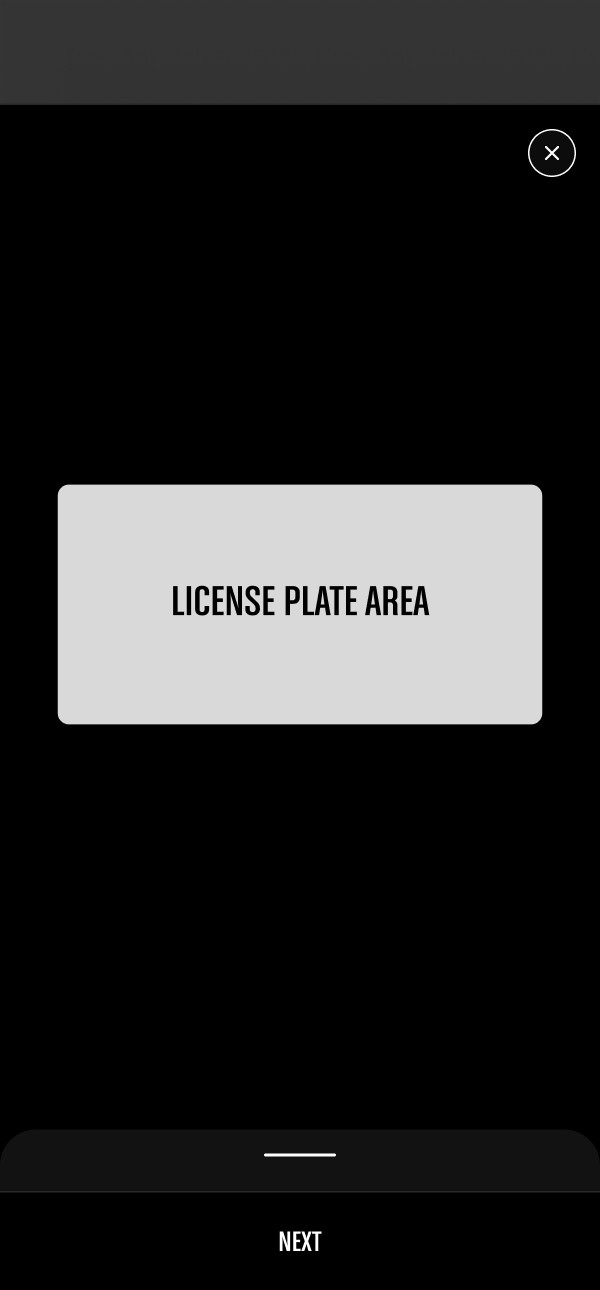
left: action focused state. right: plate review state
We prototyped this and tested it with seven players. The feedback was interesting: the flow was easy to follow and quick to complete, but there was a problem. Players said it didn’t feel exciting. Customizing the plate felt like a chore, not something they looked forward to.
A dedicated plate zone and action zone, to keep the primary task visible at all times
That was a red flag. In Grand Theft Auto, cars are core to the fantasy. If this tool was meant to extend the game world onto the web, the experience needed to echo that car‑driven identity, not just present a form with inputs. So the question became: how do we bring the car back in, without overwhelming the plate or making the flow clunky again?
Delight: bringing the car back, the right way
Our first idea was to render each player’s actual in‑game car. It would have been amazing—and completely unrealistic given the technical and production constraints. Next, we explored using a generic car. But which one, and how stylized should it be? We brought in partners from the game and motion teams and started brainstorming. We iterated on how minimal a car representation could be while still feeling like GTA: clay‑like shapes, wireframes, dark lighting, different composition options.
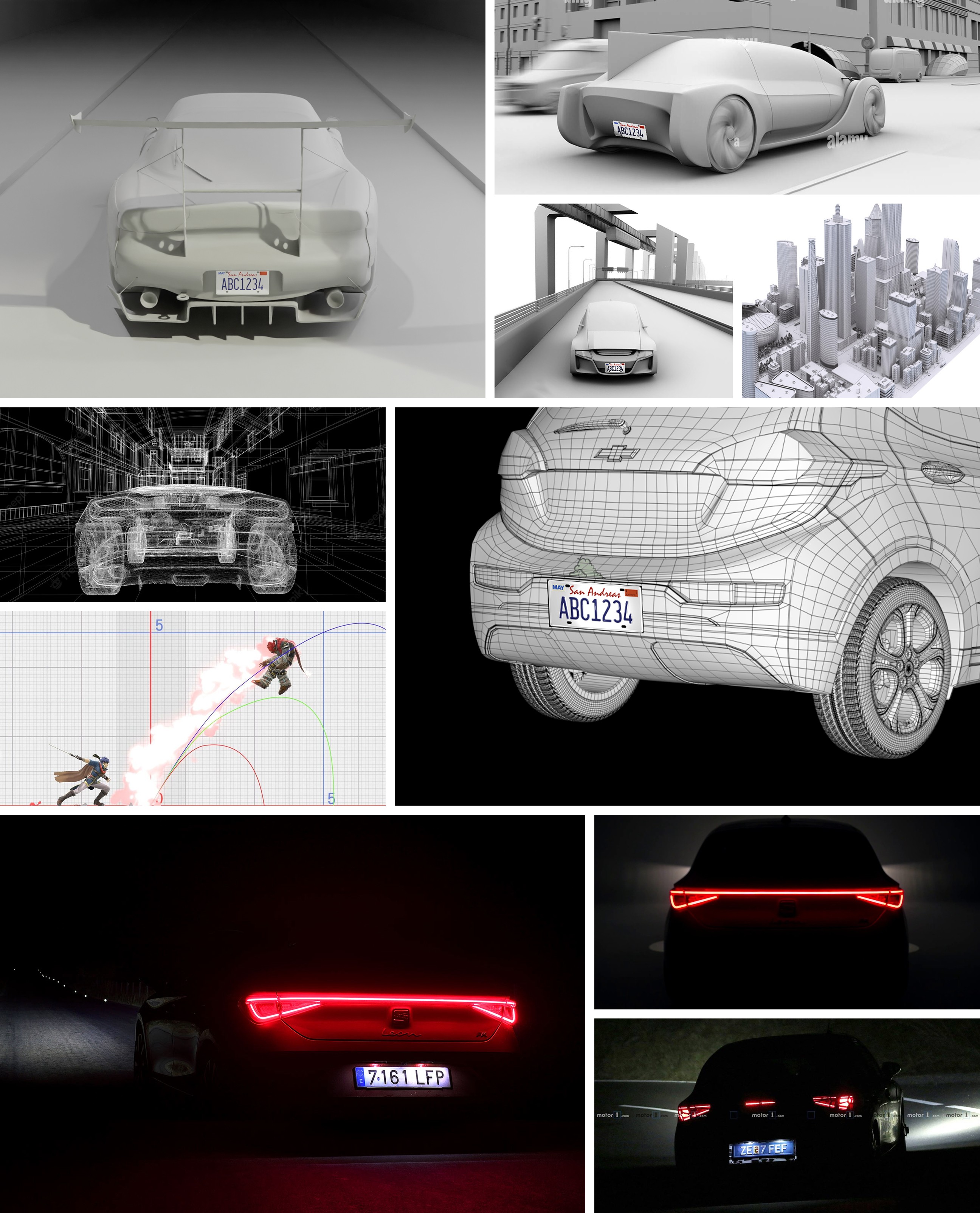
Exploring how minimal the car could go
After several rounds of discussion, we landed on the Bravado Banshee: an iconic GTA vehicle that players instantly recognize, but subtle enough to let the license plate stay in the spotlight.
Car rotation on desktop
From there, we designed the car and plate interaction for both desktop and mobile. The car created an immersive, GTA‑authentic frame around the core task of customizing a plate.
Car rotation on mobile
A big technical challenge was how to shift between car view and plate view while allowing rotation. Players could spin the car to any angle, so transitions between states had to feel smooth, regardless of where they left the camera. I worked closely with our UX engineer to experiment with different transition patterns until the motion felt both fluid and predictable.
Players could switch between plate view and car view at any angle
In parallel, we had to fit four key controls into a very small area. The UI needed to support both 2D and 3D views for device compatibility without feeling cluttered. We explored a range of toggle patterns and settled on an approach that made the actions clear at a glance while staying out of the way of the core plate customization.
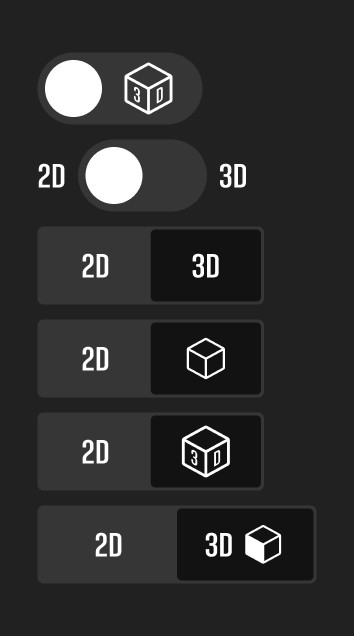
Toggle exploration
2D 3D toggle for device compatibility
The Launch
After launch, we saw a 34% conversion rate in the first month. Players weren’t just landing on the page—they were completing the flow. We also saw an increase in returning users. Players came back to create new plates and place orders more frequently, which told us this wasn’t just a one‑time novelty. The feature created a small, personal bond between players and the game. For Rockstar, this was the most radical change to the license plate experience since 2013, and the data gave us confidence to continue investing in new plate styles and around‑game experiences. Over the first six months, we saw an initial spike followed by a steady increase in engagement. That sustained growth validated the decision to slow down, design deliberately, and aim for quality over quick wins.
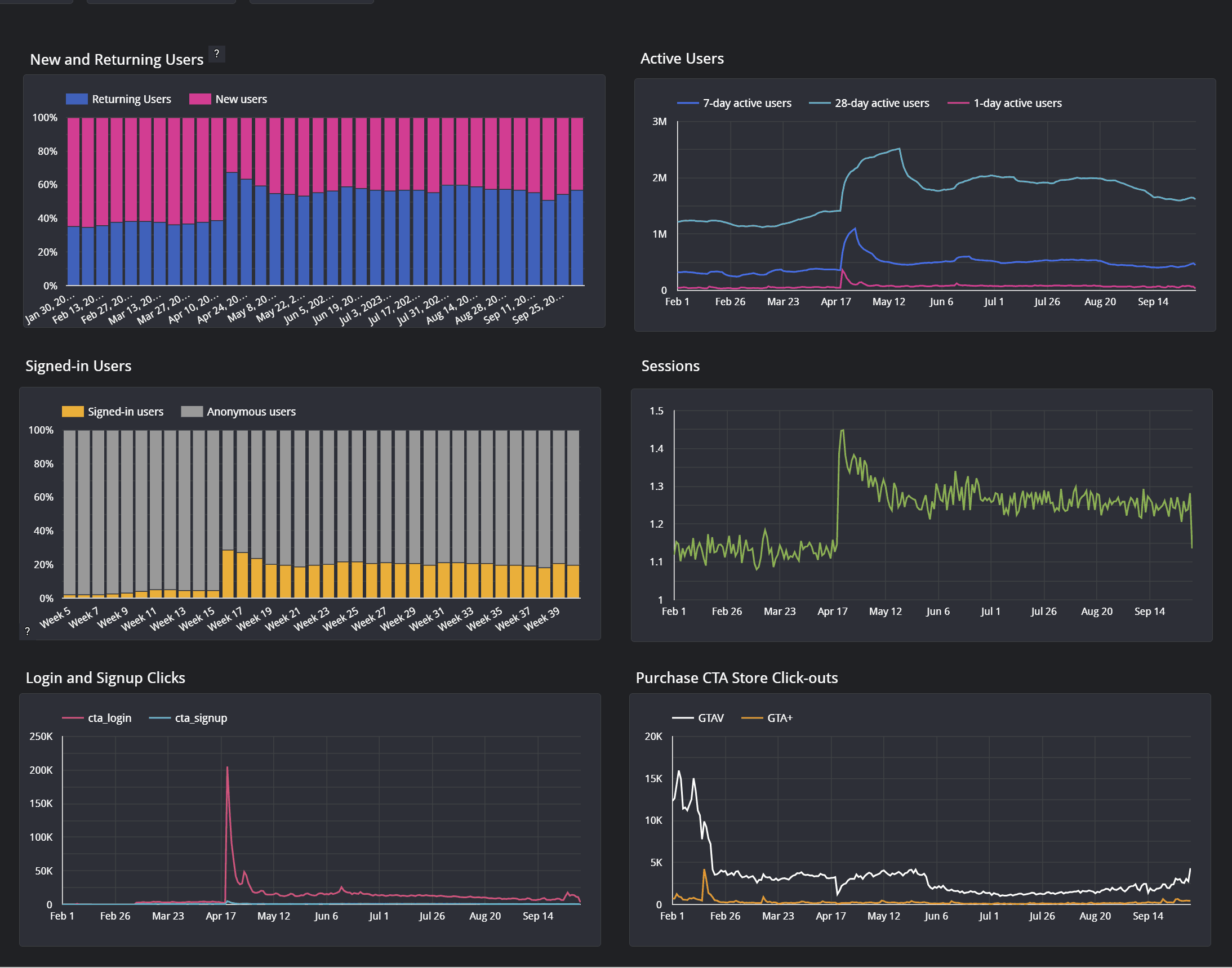
A spike and steady increase during the first 6 month of launch
Reflections
This project was the first time we tried to articulate clear design principles for Rockstar’s around‑game experiences. Simplicity, fluidity, and delight became the foundation we returned to on every subsequent project. Living by those principles is not always easy. It meant making conscious trade‑offs and sometimes choosing a slower path to launch in order to create a world‑class experience. This project helped prove internally that this approach isn’t just “nice to have”; it’s a competitive advantage. Alongside those three pillars, we also stayed grounded in fundamentals from day one: utility, performance, accessibility, security, and reliability. The experience had to be beautiful and fun—but it also had to be fast, dependable, and respectful of players’ time and context. Creating experiences that truly resonate with players is demanding work, but it’s also deeply rewarding. Our lives are full of small digital moments. Adding a bit of magic to those moments feels important.
Acknowledgement The License Plate Web Tool was a collaborative effort across design, engineering, and 3D motion. The 3D rendering featured throughout the experience was led by Ben Wiley and the Rockstar Games 3D motion team. Special thanks to Dan Maffin for consistently upholding a high design standard throughout the project, and to Bobby Marcus and Ivy Cheng for their contributions across UX engineering and UI design.